


Invoice Maker - Tiny Invoice
4.4422.00 Reviews
App Specs
- Version
- 6.0.11
- Updated On
- License
- Free
- Downloads
- 100,000+
- Developer
- TinyWork Apps
- Categories
- Business
- Platform
- Android
Screenshots
 Analysis by AppCompare
For anyone who invoices clients from a phone, the appeal of Invoice Maker - Tiny Invoice is easy to understand: it puts routine billing tasks in a business app without asking you to learn a complicated system first. I see it as a practical fit for freelancers and small operators who want to prepare and keep track of invoices while away from a desk. Its usefulness depends, though, on whether a lightweight mobile workflow matches the way you manage the rest of your business.
Simplifying Your Billing Process
We all know the struggle of managing invoices, especially if you're a freelancer or a small business owner. It can be a total headache! The beauty of Invoice Maker - Tiny Invoice is how it simplifies the whole process. When I first opened the app, I was impressed by its clean, intuitive interface. No clunky menus or overwhelming options — just straightforward tools that get the job done.
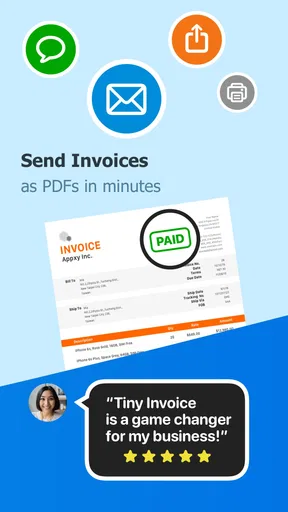
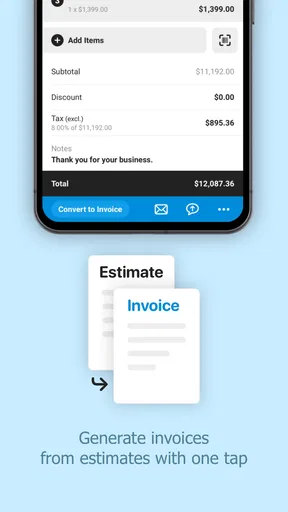
Creating an invoice is as easy as pie. You just tap on a few options, fill in your client details, and voilà — a professional-looking invoice is ready to send. It's like having your own personal assistant, minus the paycheck.
Who Benefits Most from a Phone-First Invoice Tool
I would recommend this kind of setup to a self-employed designer, tutor, repair technician, or consultant who bills for discrete jobs and wants to prepare an invoice soon after finishing the work. The practical gain is less about replacing an entire office system and more about reducing the delay between completing a task and asking to be paid. If you already know the client and the work details, being able to build a bill on your device can help keep the admin from piling up until the end of the week.
A realistic routine might look like this: after a home visit, a technician records the agreed work and charge while the details are fresh, checks the client information, then sends the invoice through their usual process. Later, they can look at its status rather than relying only on memory or a note in a notebook. I would still review every line before sending; speed is useful only if the document accurately reflects the work and terms agreed with the customer.
That distinction matters for people who charge differently from job to job. A reusable workflow can make routine billing faster, but it does not remove the need to confirm quantities, rates, dates, and client details. I find it most helpful when the business has a clear, repeatable way of pricing work. If every project needs a complex approval chain or several rounds of revisions before billing, the app may be only one small part of the process rather than the place where everything should be managed.
Customization and Features
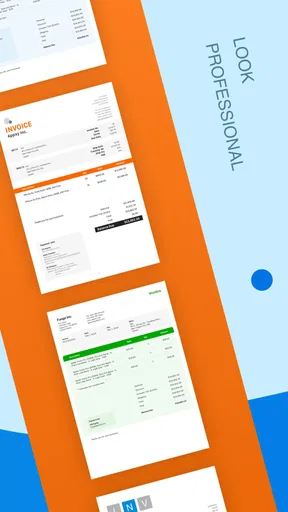
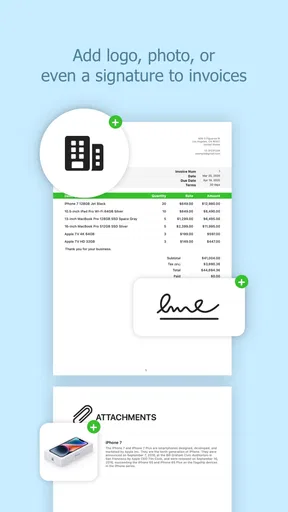
One of the standout features of Tiny Invoice is the level of customization it offers. You can choose from different templates to fit your brand's style, add your logo, and even adjust color schemes. This might sound trivial, but when you're trying to stand out to clients, these little touches make a big difference.
Worth Reading Before You Choose

EA SPORTS FC Mobile 26 Is a Bigger Football Game, but It Takes Time

Flipboard Shows What News Apps Must Do Beyond the Feed

Switching to Android Auto Means Rethinking Your Driving Routine

Google Calendar Makes a Crowded Week Easier to Manage

Ludo King Makes the Most of the Minutes Between Plans

Baby Panda World Brings Quick Play to Modern Phones, but Its Game Library Feels Busy
The app also supports multiple currencies and languages, which is a huge plus if you’re working with international clients. It’s all about making your life easier, and Tiny Invoice does just that by letting you tweak things to your liking.
For a small business, I would treat those presentation options as a way to keep documents consistent rather than an invitation to redesign each invoice. Pick a readable template, add the branding you actually use, and then keep it stable. A familiar layout makes it easier for clients to spot the amount due and the payment details, while a carefully checked currency and language help avoid needless back-and-forth with customers abroad. The trade-off is that appearance alone does not establish whether an invoice meets every local tax or bookkeeping requirement, so I would check those rules separately before relying on a template for compliance.
Tracking and Reporting
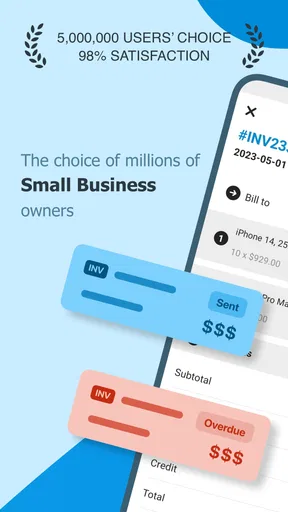
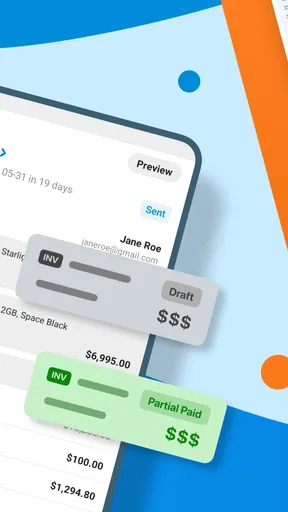
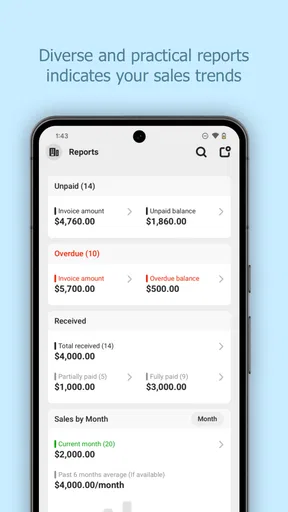
Now, let's talk tracking. Keeping tabs on who’s paid and who hasn't can be a nightmare. But with this app, tracking is a breeze. You can easily see the status of each invoice — whether it’s sent, viewed, or paid. This feature is a lifesaver, especially when juggling multiple clients.
And if you're a data nerd like me, you're going to love the reporting features. The app generates insightful reports that give you a snapshot of your business's financial health. It’s like having an accountant in your pocket, keeping you informed and on track.
There is a useful habit hiding in that status view: treat it as a prompt for the next action, not as proof that your accounts are fully reconciled. If an invoice remains unpaid, I would first check the agreed due date and the original message before sending a reminder. A viewed invoice only tells you something about its status in the app; it does not tell you why a client has not paid or whether they have raised a question elsewhere. That small distinction can make follow-up feel professional instead of automatic or awkward.
Reports can also be more useful when you review them on a consistent schedule. For a sole trader, a quick end-of-week look may reveal which clients still need a nudge and whether billing has slipped behind completed work. I would not treat a snapshot as a replacement for formal bookkeeping or tax records, especially if the business has expenses, payroll, or several revenue streams to reconcile. The app can help organize invoice activity; the owner still needs a reliable wider accounting process.
Integration and Accessibility
Another thing worth mentioning is the seamless integration with other platforms. Whether you're using accounting software or just storing files on Google Drive, Tiny Invoice plays nice with others. This interoperability means less time fussing and more time focusing on what matters: your work.
The app is available on both Android and iOS, which is perfect if you're like me and switch between devices. The cloud sync feature ensures that your data is always up-to-date, no matter where you access it from. It's the kind of flexibility that’s essential in today's mobile world.
For anyone comparing it with the usual alternatives, the main choice is between a focused invoicing tool, a spreadsheet, and a broader accounting package. A spreadsheet can be inexpensive and flexible, but the user has to build and maintain the format, remember how to number documents, and keep track of which version is current. A full accounting system can make more sense when invoices must connect to expenses, tax records, inventory, or staff workflows. Tiny Invoice sits between those approaches: its appeal is a more guided mobile billing routine, while a growing operation may eventually need a deeper system.
I would also test the way it fits your own handoff process before moving all client records into it. Make a sample invoice, check the final document on the device you use most, and confirm that the steps for sending or storing it match how you already work. If you switch phones or rely on more than one device, check that your account and sync routine are working before treating the app as the only copy of important billing information. A cloud-based workflow is convenient, but sensible recordkeeping still means keeping the documents you need in a place you can access independently.
Current State, Version History, and Existing Users
TinyWork Apps has maintained this business app through version 6.0.8, following its release on July 14, 2016. That long span gives the product a sense of an established tool rather than a brand-new experiment, but a version number by itself does not tell me which features changed or how often the app is revised. I would separate that confirmed history from expectations: an established product may continue to suit familiar routines, but I would not assume a particular roadmap or support promise.
For someone already using it, the sensible question is whether the current workflow still meets the business’s needs. If you have a dependable process for making invoices and checking statuses, there is little reason to switch solely because a version number has advanced. Before changing devices or reorganizing records, I would verify that existing documents remain accessible and that the app’s current behavior suits the way you send and retain them. People considering a move from another tool should try a representative invoice first, rather than importing their entire routine on day one.
For new users, the app is free to install, and its in-app purchases range from $4.99 to $199.99 per item. I would look at any paid option in context: decide which task you need to solve, then check whether the free workflow is enough before spending. The range makes it especially sensible to review the purchase screen carefully and avoid assuming that every feature or capacity is included at no cost. The app is rated for Everyone, and its average rating is 4.5 from around 3.5 thousand ratings, with over 100 thousand installs. That suggests it has found an audience, but I would still judge it by the fit with your own billing habits.
Where the Workflow Can Fall Short
The strongest case for a dedicated invoice app is straightforward billing. It is a weaker fit if you expect it to manage every business process in one place. A company with several people preparing bills, approval rules, recurring contracts, or detailed financial reporting may be better served by a more comprehensive accounting or operations system. Likewise, if your invoices must follow industry-specific or jurisdiction-specific rules, check the finished documents against those requirements rather than assuming customization covers them.
There is also a practical trade-off in doing admin on a phone. It is convenient after a job, but long client lists, detailed descriptions, and careful edits can be easier at a desk. I would draft short, clear line items on mobile and save more involved review for a larger screen if the invoice is complex. That keeps the mobile advantage without turning a small keyboard into a source of avoidable errors.
Another limitation to keep in mind is process discipline. An invoice app cannot decide whether a client’s terms are fair, remind you to include a deposit agreement you have not recorded, or resolve a dispute over completed work. I would use it as the document-and-status part of a business routine, while keeping contracts, job notes, and important client conversations organized wherever they belong. That separation is less glamorous than an all-in-one promise, but it is usually safer.
User Experience
What's really impressive is how user-friendly the app is. Even if you're not tech-savvy, you'll find it easy to navigate. The developers clearly put a lot of thought into the user experience, making sure everything is intuitive and responsive. It’s like they’ve anticipated every question you might have and included the answer right there in the app.
Customer support is also top-notch, which is a rarity these days. If you run into any snags, the support team is quick to respond and genuinely helpful. It's reassuring to know that you're not alone if you hit a bump in the road.
For a first-time user, I would begin with one real but low-risk invoice, then inspect the saved version and its status before making the app central to daily billing. That trial answers the questions that matter in practice: whether the layout is comfortable for your clients, whether you can find the invoice again, and whether the way it records progress matches your follow-up routine. If you are choosing between this and a spreadsheet, that test shows whether the guided process saves you enough effort to justify adopting another app.
What I would watch over time is not a promise of new features, but whether the current version continues to work smoothly with your device and the way you exchange records with clients or an accountant. Keep a copy of important invoices outside a single phone-based workflow, and review any purchase before committing to it. Those are ordinary precautions, but they matter more than a polished template when billing documents are part of your business records.
Final Thoughts
In the grand scheme of things, Invoice Maker - Tiny Invoice might seem like just another app, but it's truly a hidden gem. It’s perfect for anyone looking to streamline their invoicing process without a steep learning curve. Its robust features, coupled with ease of use, make it a standout choice.
Whether you’re a seasoned entrepreneur or just starting out, this app can save you time and stress. And in the business world, that’s worth its weight in gold. So, if you're tired of wrestling with invoicing, give Tiny Invoice a try. It might just become your new best friend in business.
My recommendation is strongest for an independent worker who wants to prepare polished bills, keep an eye on their status, and handle routine admin from a mobile device. I would skip it as the main business system if you need tightly connected bookkeeping, team approvals, or specialized compliance controls; a fuller accounting product is likely a better starting point there. For the right person, though, Tiny Invoice can make one recurring chore feel more manageable without demanding a major change to the rest of the business.
Pros
- User-friendly interface simplifies invoicing.
- Customizable templates enhance professionalism.
- Supports various currencies and languages.
- Seamless integration with cloud services.
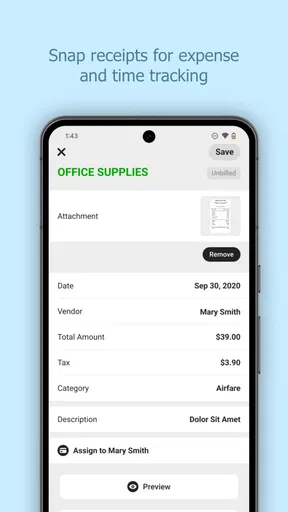
- Efficient expense tracking and reporting.
Cons
- Limited features in free version.
- No offline mode available.
- Occasional syncing issues reported.
- Requires registration for full functionality.
- No direct customer support chat feature.
FAQs for Invoice Maker - Tiny Invoice
What features does Invoice Maker - Tiny Invoice offer?
Invoice Maker - Tiny Invoice provides a comprehensive suite of tools for creating, managing, and sending invoices quickly. Key features include customizable templates, expense tracking, and the ability to generate reports. It also supports various currencies and tax systems, making it suitable for international use. Integration with payment gateways ensures seamless transactions.
Is Invoice Maker - Tiny Invoice suitable for small businesses?
Yes, Invoice Maker - Tiny Invoice is designed with small businesses in mind, offering an easy-to-use interface and essential features for managing invoicing needs. It allows users to handle multiple clients, track time for billable hours, and manage recurring invoices, which are crucial for freelancers and small business owners.
How secure is the data stored in Invoice Maker - Tiny Invoice?
Invoice Maker - Tiny Invoice prioritizes user data security by implementing encryption protocols to protect sensitive information. Regular updates ensure that security measures are up-to-date. Additionally, data backup options are available to prevent loss, giving users peace of mind that their financial information is safe.
Can I use Invoice Maker - Tiny Invoice on multiple devices?
Yes, Invoice Maker - Tiny Invoice offers multi-device support, allowing you to access and manage your invoices from smartphones, tablets, and computers. Synchronization features ensure that your data is consistent across all devices, making it convenient for users who need to manage their invoices on the go.
Does Invoice Maker - Tiny Invoice integrate with other software?
Invoice Maker - Tiny Invoice integrates with popular accounting and payment software, streamlining your financial processes. It supports integration with platforms like QuickBooks, PayPal, and Stripe, allowing seamless management of your financial transactions and accounts directly from the app.


